Computer vision alignment tool for Autodesk Flame. Matches plate segments to a reference using feature detection and creates Action effects with scale/position/rotation keyframes.
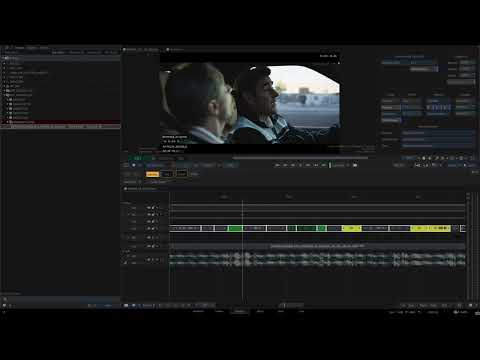
- Auto-detect plate vs reference by resolution
- Multi-segment batch — select many plates + one ref, aligns all
- Three detectors — SIFT (default), AKAZE, SuperPoint+LightGlue
- Timewarp-aware — correct source frame mapping for Speed and Timing (Frame) mode timewarps
- Colourspace-aware — all reads go through forge-io (OpenImageIO + OpenColorIO) and land on display-encoded
sRGBfor SIFT. The hook auto-resolves the active Flame project's OCIO config from{setups}/colour_mgmt/config.ocioand injects it into the solver subprocess — no shellOCIOenv required. - EXR/DPX/MOV/MXF + camera raw — sequences, ProRes containers, and ARRI
.ari/.arx+ RED.r3dvia forge-io's vendor backends (art-cmd, REDline). Backends are auto-detected at install time and persisted to~/.forge/config.yaml. - Three solve modes — Similarity (4 DOF), Affine (6 DOF), Homography (8 DOF)
- Frame sampling — First frame, First + Last, or Every N frames
- Round to 0.5 — optional rounding for cleaner manual tweaking
- Confidence gate — skips low-quality matches automatically
- PySide settings dialog — ref selector, detector, mode, frame sampling, rounding in one place
- Autodesk Flame 2025+
- Miniconda or Anaconda
- ffmpeg (for MP4/MOV reference extraction)
- OpenImageIO + OpenColorIO (pulled in by the forge-io dependency; Conda/ASWF-style stacks satisfy them).
- A Flame project with a colour management config selected (Project Settings → Colour Management → pick one). The hook reads
{setups}/colour_mgmt/config.ocioat run time; no shell OCIO env needed.
forge-io v0.3.0+ decodes ARRI .ari/.arx (via art-cmd) and RED .r3d (via REDline, bundled with REDCINE-X PRO). install.sh probes standard install paths and persists them to ~/.forge/config.yaml as arri_backend: / red_backend:. The hook injects these into the solver subprocess as FORGE_ARRI_ART_PATH / FORGE_RED_REDLINE_PATH. Leave a backend empty to skip that format.
| Format | Backend | Auto-probed install paths |
|---|---|---|
ARRI .ari / .arx |
art-cmd | /Applications/art-cmd_*/bin/art-cmd, /usr/local/bin/art-cmd, /opt/art-cmd/bin/art-cmd |
RED .r3d |
REDline | /Applications/REDCINE-X*/…/REDline, /usr/local/bin/REDline, /opt/REDCINE-X/REDline |
RED OCIO caveat: forge-io v0.3.2 emits source_colorspace="Linear REDWideGamutRGB", which is the OCIO 2.x studio-config canonical name but is not in Flame's stock flame_core_config / aces2.0_config as of 2026.0. For R3D workflows, add Linear REDWideGamutRGB as a colorspace in your project's project_custom_config.ocio (either real RWG→sRGB math, or alias to ACEScg for a CV-acceptable approximation — small gamut shift, transfer is correct, SIFT doesn't care). ARRI's emitted ACES2065-1 resolves natively in the Flame configs.
git clone https://github.com/cnoellert/forge-align.git
cd forge-align
bash install.sh
The installer will:
- Create (or reuse) a conda environment with Python 3.11
- Install OpenCV, NumPy, and forge-io (pinned from git tag
v0.3.2, which decodes ARRI.ari/.arxand RED.r3dwith OCIO-canonical source colorspace names — push tags to GitHub before installing on a fresh machine) - Optionally install SuperPoint support (torch + lightglue, ~2 GB)
- Install ffmpeg via conda-forge
- Detect REDline and art-cmd at standard install paths; prompt before persisting them as
red_backend:/arri_backend:in~/.forge/config.yaml - Save the conda Python path to
~/.forge/config.yaml - Deploy the hook globally (default) or to a custom path
You can also specify options directly:
# Install with all defaults (interactive prompts)
bash install.sh

# Deploy to a specific project in addition to global
bash install.sh --global --project /mnt/server/projects/my_project

# Specify conda env name
bash install.sh --env myenv

# Fast redeploy (skip env/pip setup)
bash install.sh --deploy-only
After install, restart Flame or evict the cached module:
import sys; [sys.modules.pop(k) for k in list(sys.modules) if 'forge_cv_align' in k]
# Then: Rescan Python HooksQuick read smoke. Three-way dispatches on extension exactly like the solver does:
.r3d→forge_cv.extractor.read_raw_clip_frame(single-file clip, intra-clip frame_index forwarded).mov/.mp4/.mxf→extract_container_frame(ffmpeg seek → PNG → forge-io)- everything else →
read_sequence_frame(resolve_pattern+ forge-io)
Requires a Python env where forge-io + OpenImageIO import (e.g. the forge conda env after install.sh).
Decode only (no OCIO; works on a tiny EXR after python tests/fixtures/generate_fixtures.py in the forge-io repo):
python scripts/smoke_v0_1_1.py \
  --plate /absolute/path/to/forge-io/tests/fixtures/solid_rgb.exr \
  --frame 1 \
  --no-ocio
With OCIO (set OCIO to your facility config first):
export OCIO=/absolute/path/to/config.ocio
python scripts/smoke_v0_1_1.py \
  --plate "/shots/plate.[0001-1000].exr" \
  --frame 42 \
  --working-space sRGB \
  --source-cs ACEScg
ARRI .arx sequence (auto-resolves frame number into the path):
export FORGE_ARRI_ART_PATH=/Applications/art-cmd_1.0.0_macos_universal/bin/art-cmd
export OCIO=/absolute/path/to/config.ocio  # must know ACES2065-1
python scripts/smoke_v0_1_1.py \
  --plate /path/to/CLIP.0000001.arx \
  --frame 250 \
  --working-space sRGB
RED .r3d single-file clip (intra-clip frame_index):
export FORGE_RED_REDLINE_PATH=/usr/local/bin/REDline
export OCIO=/absolute/path/to/config.ocio  # must know Linear REDWideGamutRGB
python scripts/smoke_v0_1_1.py \
  --plate /path/to/clip.R3D \
  --frame 0 \
  --working-space sRGB
Exit code 0 on success; 1 on failure, with the error on stderr.
cd forge-align
bash uninstall.sh
Removes the hook, pip package, and config. Optionally removes the conda environment.
- Open a timeline in Flame
- Select 2 or more segments (plates + reference)
- Right-click → FORGE → Transforms → CV Align
- In the dialog: confirm reference, choose solve mode and frame sampling
- Click Align
The tool creates Action effects on each plate segment with computed transforms.
All transfer-shaping is delegated to OCIO via forge-io — the solver itself does nothing colour-aware beyond a 255× clip. Flow:
- Source colourspace identification — forge-io's reader emits the canonical name of what it decoded to:
- ARRI
.ari/.arx→ACES2065-1(via art-cmd, scene-linear ACES AP0/D60) - RED
.r3d→Linear REDWideGamutRGB(via REDline, scene-linear RWG) - EXR/DPX/PNG/MOV → whatever the file declares (or
unknown→ falls through to the segment's Flame CS viaassume_source)
- ARRI
- OCIO config resolution — the hook reads the active Flame project's
{setups}/colour_mgmt/config.ociosymlink at run time and exports it asOCIO=to the solver subprocess. No shell env or install-time sync required. - Transform to display-encoded sRGB — forge-io builds an OCIO processor
source_colorspace → sRGBand applies it.sRGBresolves via OCIO config alias (e.g.sRGB Encoded Rec.709 (sRGB)in Flame'saces2.0_config) — the actual sRGB OETF curve is applied (linear 0.18 → encoded ~0.461). - Solver receives display-referred sRGB-shaped pixels —
_to_gray_uint8does a simpleclip(x*255, 0, 255).astype(uint8). SIFT sees the expected contrast distribution regardless of source.
For raw clips, the hook strips Flame's get_colour_space() string from --source-cs (it would be the in-camera log encoding, which would incorrectly override forge-io's canonical scene-linear emission via assume_source). For non-raw segments, Flame's CS is passed through and forge-io uses it as assume_source when the file declares unknown.
| Detector | Best for | Notes |
|---|---|---|
| SIFT (default) | Most cases — robust, high confidence | No extra deps |
| AKAZE | Matched-resolution, low-contrast shots | No extra deps, binary descriptors |
| SuperPoint | Large scale gaps, cross-appearance matching | Requires torch + lightglue (~2 GB), optional install |
The hook detects timewarps on source segments and maps record frames to source frames using the correct Flame API. Both methods take 1-based segment-relative frames and return timing values 1-based from source start including handles.
- Speed mode —
get_speed_timing()for source frame lookup - Timing (Frame) mode —
get_timing()for source frame lookup
disk_frame = int(src_in - head + (timing_val - 1) - frame_offset)
Flame floors fractional timing values (int() not round()). Segments without timewarps use a direct record-to-source offset.
The hook runs inside Flame's Python environment. The actual CV solve runs in a separate conda Python process (via subprocess) to avoid conflicts between OpenCV and Flame's interpreter.
Flame Python (hook)
  → read segment colourspace, timewarp mode, frame mapping
  → subprocess → conda Python (forge_cv)
    → feature matching (SIFT/AKAZE/SuperPoint, colourspace-corrected grayscale)
    → geometric solve (similarity/affine/homography)
    → optional round-to-0.5
    → Action keyframe values
  ← JSON result
Flame Python (hook)
  → create/update Action effect
  → inject keyframes into .action file
- Log file:
/tmp/forge_cv_align.log— frame numbers, subprocess commands, OCIO resolution, errors. - "No match" — detector couldn't find enough features. Try SuperPoint (large scale gaps) or Affine/Homography mode. Very-low-texture images (solid backgrounds, heavy motion blur) may not match at all.
OCIOConfigError: No OCIO config— the active Flame project has nocolour_mgmt/config.ociosymlink (Project Settings → Colour Management → pick a config). The log will also showOCIO unresolved (Flame project has no colour_mgmt/config.ocio).OCIOTransformError: Failed to build processor— the project's OCIO config doesn't know one of the colorspace names forge-io emitted:- ARRI emits
ACES2065-1— present inflame_core_configandaces2.0_config. - RED emits
Linear REDWideGamutRGB— not in stock Flame configs as of 2026.0. Add it to yourproject_custom_config.ociooverlay (real RWG→sRGB math, or alias toACEScgfor a CV-acceptable approximation).
- ARRI emits
- Camera raw formats — backends configured via
~/.forge/config.yaml(red_backend:/arri_backend:) and injected into the solver subprocess by the hook. Override per-shell withFORGE_ARRI_ART_PATH/FORGE_RED_REDLINE_PATH(or the*_SDK_PATHSDK variants).- BRAW / DNG / Canon raw — no decode path; use the graded/comp version on another track.
- Low confidence on
.ari/.arx— make sure you're onforge-align ≥ v0.3.2. Earlier versions wrongly dispatched ARRI sequences through the single-file raw-clip path, decoding the same frame for every keyframe. - R3D frame selection no-op — requires forge-io ≥ v0.3.1. Earlier versions always decoded clip frame 0.
- Timewarp error — if you see
RuntimeError: This method is only available when using the Speed/Timing mode, redeploy the hook. - ffmpeg errors — ensure ffmpeg is installed and accessible. Required for MP4/MOV reference extraction.
- Wrong conda Python — check
~/.forge/config.yamlpoints to the correct Python path. Re-runbash install.shto update.