



A napari plugin for uncertainty-based quality control and manual correction of 3D blood vessel segmentations.
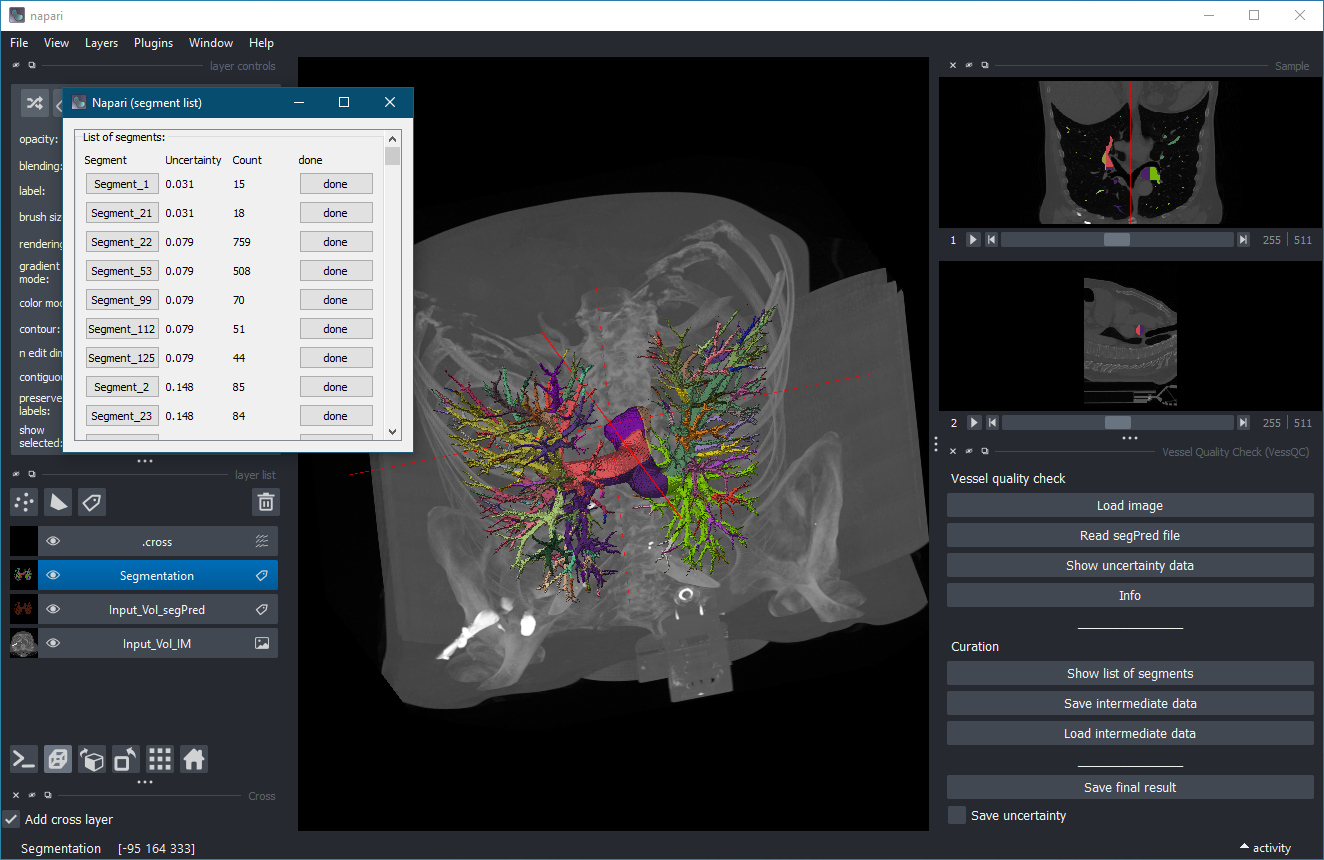
VessQC is a plugin for the image viewer napari. It is designed for the inspection and correction of 3D vessel segmentations generated by machine-learning pipelines.
The plugin combines:
- visualization of image, segmentation, and uncertainty data,
- automatic grouping of uncertain regions into segments,
- interactive review of suspicious regions,
- manual correction of segmentation masks,
- export of corrected segmentation results.
The plugin is particularly useful for workflows in which:
- a neural network generates vessel segmentations,
- uncertainty maps are available,
- only uncertain regions should be reviewed manually.
Install the released version from PyPI:
pip install VessQCInstall the latest development version from GitHub:
pip install git+https://github.com/MMV-Lab/VessQC.gitVessQC expects three volumetric datasets:
- Original image data
- Predicted vessel segmentation (
*_segPred) - Uncertainty map (
*_uncertainty)
Supported file formats:
- TIFF (
.tif,.tiff) - NIfTI (
.nii,.nii.gz)
Example:
Sample_IM.tif
Sample_segPred.tif
Sample_uncertainty.tif
Press:
Load image
and select the original 3D image.
Press:
Read segPred file
The plugin automatically searches for matching:
*_segPred*_uncertainty
files in the same directory.
The uncertainty map is segmented into connected uncertain regions.
Press:
Show list of segments
A separate window displays all detected uncertain regions.
For each segment the following information is shown:
- segment name,
- uncertainty value,
- voxel count,
- processing state.
Click a segment button to:
- zoom into the corresponding region,
- crop the surrounding image data,
- display the local segmentation,
- center the viewer on the selected segment.
Use the standard napari label editing tools to:
- add missing vessel voxels,
- remove incorrect voxels,
- refine the segmentation mask.
After correction press:
done
The modifications are transferred back into:
- the segmentation volume,
- the uncertainty map,
- the internal label representation.
Press:
Save final result
The corrected segmentation is written to disk as:
*_segPred_New.tif
Optionally the corrected uncertainty map can also be saved.
VessQC can store intermediate processing results in the temporary directory.
The following data are saved:
- segmentation volume,
- uncertainty volume,
- label volume,
- segment metadata.
This allows interrupted curation sessions to be resumed later.
Run the test suite with:
pytestContributions and bug reports are welcome.
Please include:
- a detailed problem description,
- steps to reproduce the issue,
- example data if possible.
Distributed under the terms of the BSD-3 license.
GitHub repository: